





FAQ
Can't find the answer you're looking for? Contact us!
General
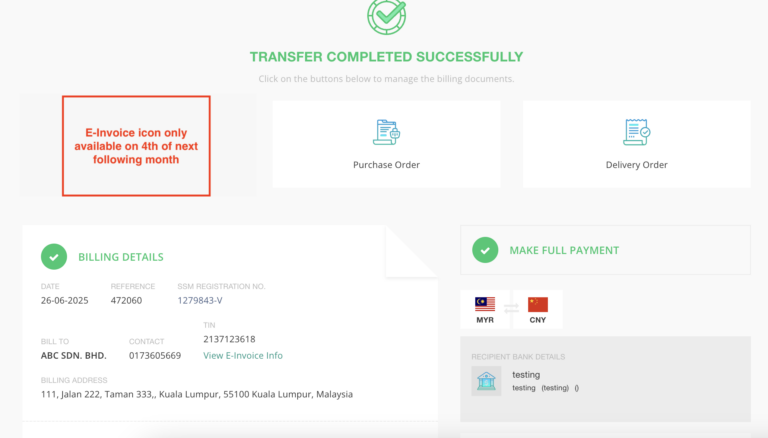
You will get the e-invoice via system on the 4th of the next month.
E.g: CIEF only release e-invoice in system on 4th Aug 2025 for orders placed from 1st – 31st July 2025
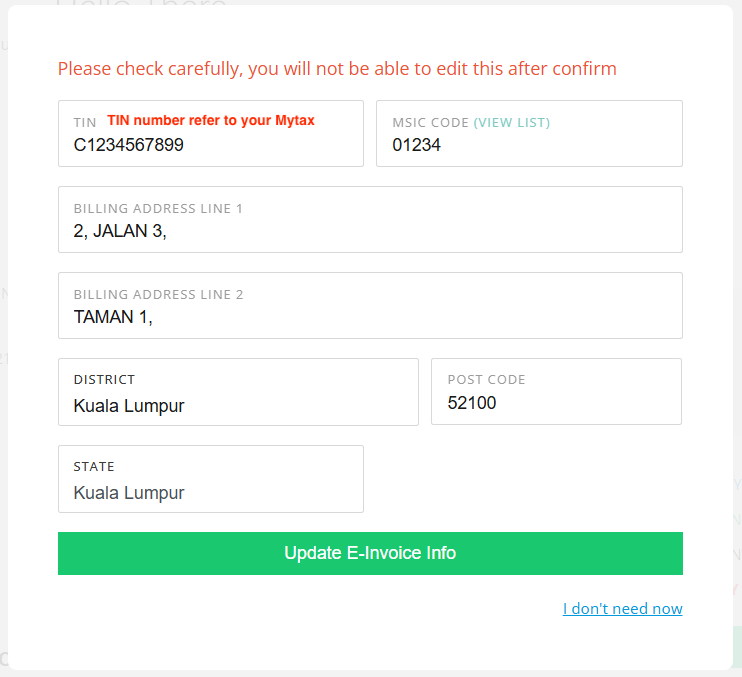
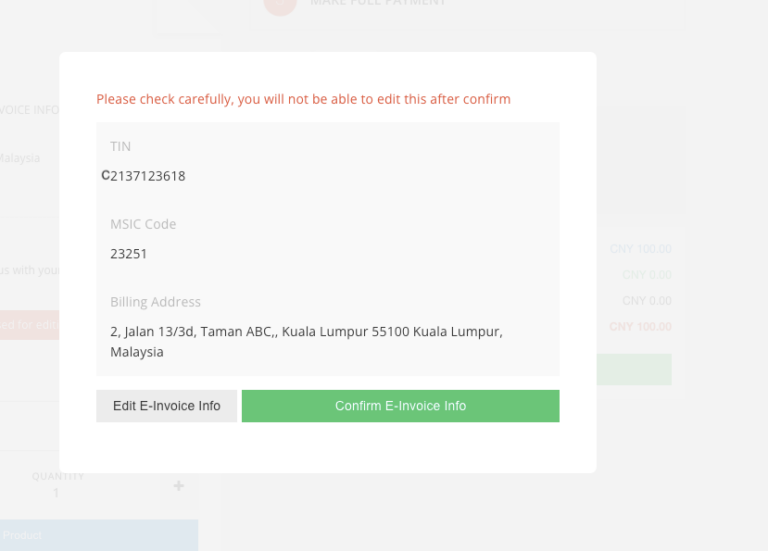
Please follow the steps in this the “Tutorial” section to fill in your TIN details in the system BEFORE placing your order.
The e-Invoice will use the billing address entered in the TIN section, not the one saved in your system account.
Please make sure the address entered is correct.
Note: You can only fill this once. If you need to make changes later, please contact our Customer Service Team request to change it.
No, it’s not required. When using an individual TIN, the MSIC code fields will be greyed out automatically.
This method was designed by our Chartered Accountant. It’s legal and safe, so don’t worry — the problems you’re concerned should be fine.
No, Because this invoice already go to consolidated E-invoice,
if you need E-invoice for future order , please fill up TIN detail
and next order will have E-invoice for you
According to Income Tax Act, 1967, every invoice have to be full itemize to fulfill the compliance
We can only issue a Credit Note and re-issue a new e-invoice with the current date.
PO changes are only allowed before end of the order month, and must be requested through our Customer Serivce Team by providing with the correction details. Any amendment request made after the end of the order month is not allowed, as the e-invoice has already been submitted by CIEF.
Please contact our Customer Service team for further advise
No action needed. CIEF will issue an e-Credit Note (e-CN) for the refund in the Exchange system.
e-CN can be downloaded at the Refund transaction area, but not in wallet transaction history anymore.
No, the e-CN will only be available for download in the system on the 4th of the following month, same as the e-invoice release date.
The process remains the same — no changes have been made. You’ll need to sign a consent form and request the withdrawal through Customer Service.
There’s no time limit — the e-invoice will be kept in the system permanently.
No, you don’t need to submit it. Just keep it for your records — it will already be recorded in your MyInvois portal automatically.
Normal Order
No, changes are not allowed once FULL payment is made. You will need to place a NEW order for any additional items.
Yes, you can reduce the booking amount by clicking on the “Refund” button in the system to request a refund for the difference, BUT strictly only allow if the order not yet process by CIEF.
Yes, the system will still generate the Proforma Invoice as usual.
Reminder: Please download the Proforma Invoice before making payment.
Once payment is made, it cannot be re-generated.
If you miss the download, you’ll need to cancel the order and create a new one to get the Proforma Invoice.
We understand your concern. Since e-invoices are only issued once a month (with month-end dates), here are several types of document may help to handle your stock:
1. Proforma invoice and Receipt voucher in the system
2. Delivery order (with itemize) in exchange system
3. Delivery order (Hardcopy) when goods delivered to your Malaysia address
The e-invoice system may require changes to your current accounting workflow. You may also want to check with your accountant to see which method works best for you.
Deposit Order
If e-Invoice is required: You will receive the e-invoice based on your final payment date (when there’s no more outstanding balance). The invoice date will follow the last day of final payment month.
If e-Invoice is not required: You will receive a normal invoice, also based on the final payment date.
You can follow the tutorial here to update your booking amount accordingly.
No, you can’t. Only orders with partial payment are allowed to amend the booking amount.
1. If your edited order shows no outstanding balance, the invoice will be issued based on the date/month you last edited the order amount.
2. If there is still an outstanding balance, the invoice will be issued based on the final payment date/month once full payment is made.
Conclusion: The invoice will be issued based on whichever is later — either the date you last edited the order or the date you completed full payment.
Profoma Invoice
If your Accounting Department requires a supporting document before the E-Invoice is issued at the end of the month, you can use the Proforma Invoice as a reference or supporting document.
You MUST click “Generate Proforma Invoice” in the Exchange system BEFORE make payment to CIEF.
Once payment is made, the Proforma Invoice cannot be downloaded or regenerated.
CLICK HERE to view guidance to generate Proforma Invoice
1688 Order
Auto PO Customers:
If you see a message saying:
“You are no longer required to key in your purchase order details manually…”
then no action is needed. You can proceed directly to payment, and CIEF will auto-fill the PO after payment is completed.
Manual PO Customers:
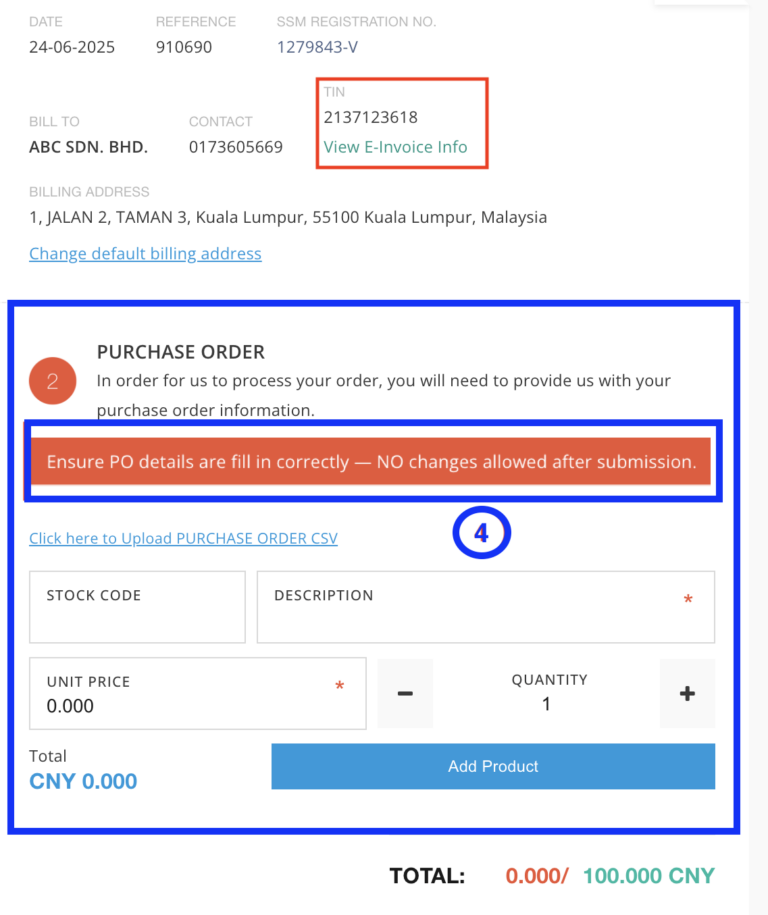
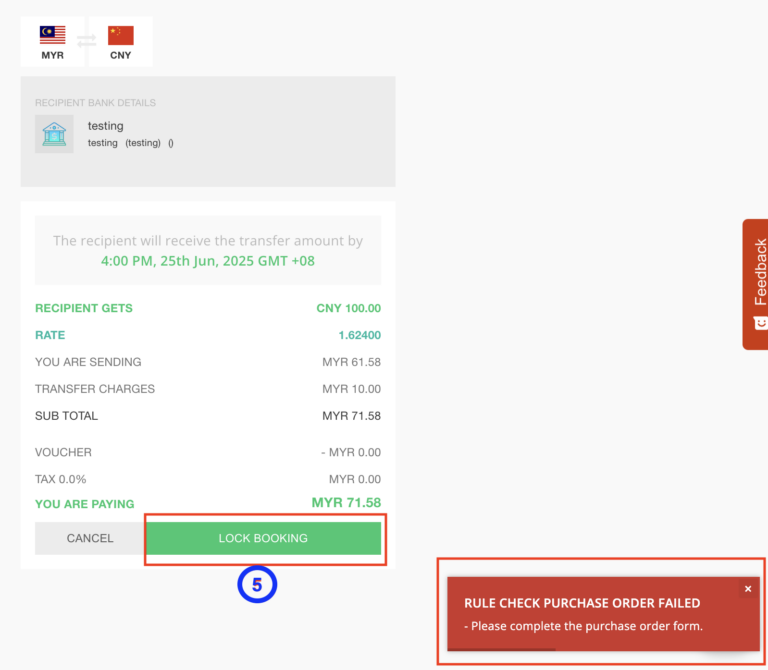
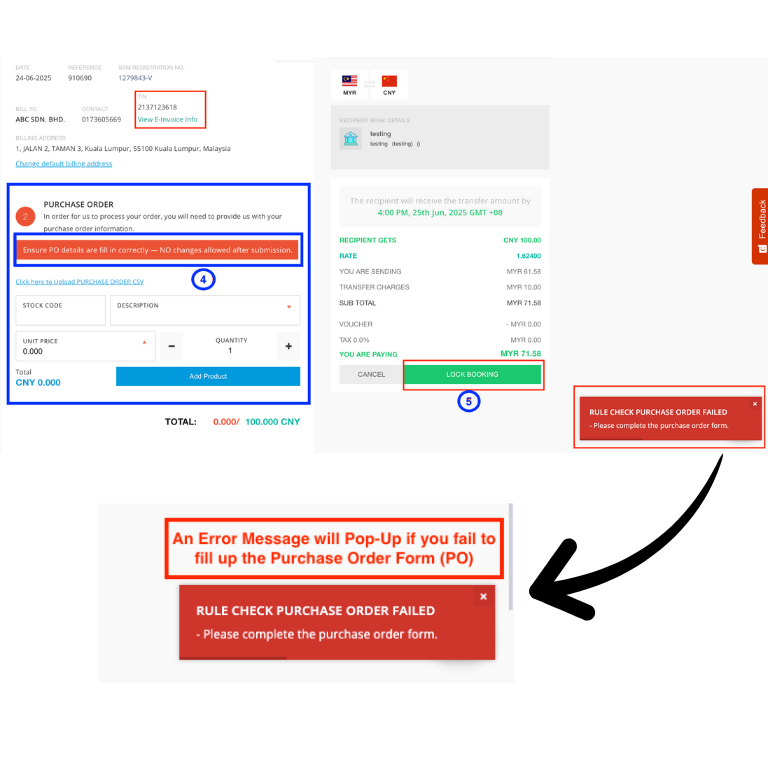
If the system allows you to fill in the PO section, you must complete all PO details before making payment.
Reminder: Please ensure your PO details are correct — no changes are allowed after submission.
If You Require an E-Invoice:
You will receive it on the 4th of the following month. No separate normal invoice will be issued — only the monthly e-invoice will be provided.
If You Do NOT Require an E-Invoice:
You will receive the normal invoice within 2–3 working days after the order is completed.
Not Require E-Invoice
No, please click “NO” for now. When your e-Invoice begins on 1/1/2026, you can return to Exchange system and click “YES” to submit your TIN details.
⚠️ Reminder: Once you click “YES”, it cannot be change back. This means we will start issuing you E-Invoices and no longer issue normal invoices for you.
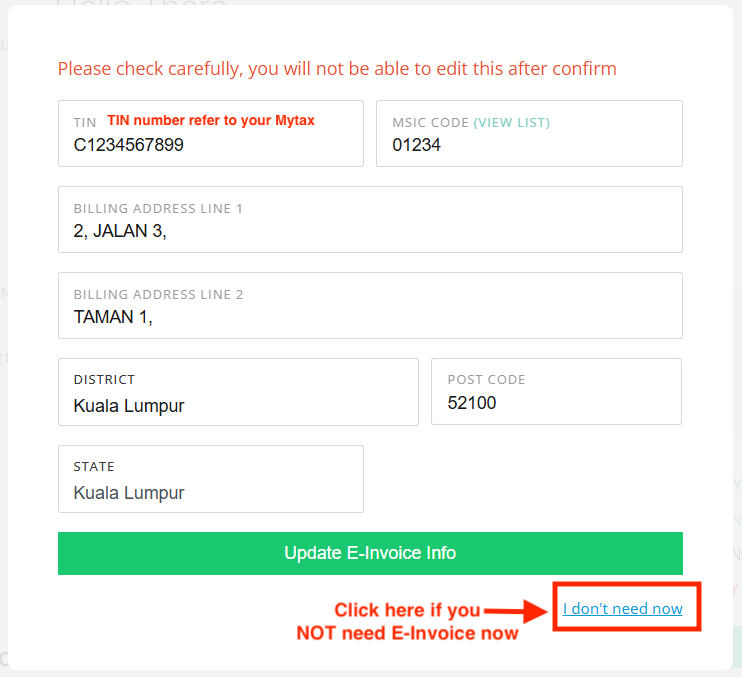
No worries. If you haven’t submitted any TIN details, just click the “I don’t need e-Invoice now” button at the bottom of the page (refer to the screenshot below). That will reverse your selection.
No. If you don’t need an e-invoice, you can only request PO edits within the same month the order was placed.
Once the month ends, edits are no longer allowed as the invoice has already been submitted to LHDN.
Example: If you contact us on 30th or 31st July, and it falls on a weekend or public holiday, and our team only sees the request on 1st August, we cannot guarantee the edit. However, we will escalate the request for review.
Please contact our Customer Service to check if the PO can still be edited.